- Blog
- |


 Features
OneSuite's Hybrid long distance service means you can make low cost international calls from worldwide, on any phone, with or without internet!
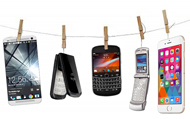
Basic cell phone: On mobile phones without wifi/data plans, register your phone and save contacts as Favorite 10 in your OneSuite account to reach them with just 1 touch. Or dial cheap international calls in just 4 keys by setting up RapiDial.
Smartphone (Wi-Fi/ 3G/ 4G Worldwide): Use OneSuite App on your iPhone or Android with or without internet, easy dialing your phone’s contacts, and make calls from worldwide.
Easily speed dial your OneSuite Favorite 10* contacts or go PINless at home or at the office, by registering your phone with OneSuite, then set up RapiDial to make low cost long distance calls in just 4 keys.
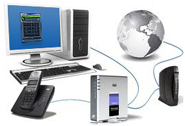
Get global coverage with OneSuite's free internet softphone for PC or Mac! Use it to make calls from anywhere in the world when you have internet. No PINs, no access number needed! Also compatible with any IP Phone or ATA.
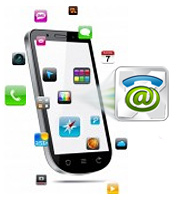
OneSuite App is the most convenient way to make quality international calls on your iPhone, iPad, Android smartphone or tablets from worldwide with low rates.

Go PINless and save time by registering up to three of your most frequently used phones as ZipDial in your OneSuite account.

Convert your contacts’ international phone numbers into U.S. or Canada local numbers in your OneSuite account. Save these numbers in your OneSuite registered phone(s) so you just need 1 touch to call your friends. No access numbers, no PINs required!

Dial just 2 digits to reach your contacts when you save them as RapiDial numbers in your account.

Trim down long distance and international calling to just 4 keys by saving your OneSuite access number as a shortcut key on your phone, then, set up ZipDial and RapiDial.

The callback feature is especially handy when you are on the road, with no access numbers or weak internet/Wi-Fi connection. OneSuite will call you back over the traditional phone networks. Just tell OneSuite where to call you, and where to connect you, trigger the call back request from “my account” or OneSuite App. See step by step.

When you’re at a public phone or on the road, use OneSuite as a prepaid phone card to make low cost long distance or international calls.

*Favorite 10 is currently available to U.S. and Canada callers only.